


In screen printing, the squeegee plays a critical role in controlling ink transfer, print consistency, and image quality. Even with the right screen mesh and high-quality ink, using the wrong screen printing squeegee can lead to various production problems, including uneven prints, blurred details, excessive ink usage, and premature wear.
A properly selected polyurethane (PU) squeegee should match your substrate, ink type, printing speed, and production requirements. This article explains common screen printing problems caused by the wrong squeegee and provides practical solutions to improve printing performance.
1. Uneven Ink Coverage
Problem:
One of the most common issues in screen printing is inconsistent ink coverage. Some areas may appear too light, while others receive excessive ink.
Possible Squeegee Causes:
- Squeegee hardness is too high
- Incorrect squeegee angle
- Uneven squeegee pressure
- Worn or damaged squeegee edge
Solution:
Choose a suitable screen printing squeegee hardness according to the application.
- Softer squeegees (60–70 Shore A) provide higher ink deposits for textiles and rough surfaces.
- Harder squeegees (80–90 Shore A) provide better ink control for precision printing.
Regularly checking the blade edge condition can also help maintain consistent ink transfer.
2. Blurred or Unclear Printing Details
Problem:
Fine lines, small text, or detailed patterns appear blurred or lose definition.
Possible Squeegee Causes:
- Squeegee is too soft
- Edge profile is unsuitable
- Excessive ink deposit
- Incorrect printing pressure
Solution:
Use a harder polyurethane squeegee with a sharper edge profile.
For applications requiring high precision, such as:
- PCB printing
- Electronics printing
- Glass printing
- Fine graphics
an 80–90 Shore A squeegee is usually more suitable.
3. Excessive Ink Deposit
Problem:
Too much ink passes through the screen, causing thick prints, longer drying times, and increased material costs.
Possible Squeegee Causes:
- Squeegee hardness is too low
- Rounded edge profile used for a high-detail application
- Excessive printing pressure
Solution:
Select a harder squeegee to reduce ink transfer.
For example:
| Printing Requirement | Recommended Squeegee |
|---|---|
| Heavy ink coverage | 60–70 Shore A |
| Standard printing | 70–75 Shore A |
| Fine detail printing | 80–90 Shore A |
4. Insufficient Ink Transfer
Problem:
The printed image appears faded, incomplete, or lacks sufficient coverage.
Possible Squeegee Causes:
- Squeegee hardness is too high
- Squeegee pressure is too low
- Edge is too sharp for the application
Solution:
Use a softer PU screen printing squeegee when higher ink deposits are required.
Soft squeegees are commonly used for:
- Textile printing
- Thick ink applications
- Printing on uneven surfaces
5. Streaks or Lines Appearing on Prints
Problem:
Visible lines, streaks, or uneven marks appear across the printed surface.
Possible Squeegee Causes:
- Damaged squeegee edge
- Uneven wear
- Poor-quality polyurethane material
- Improper storage causing blade deformation
Solution:
Inspect the squeegee before use and replace blades with:
- Smooth printing edges
- Consistent hardness
- Good wear resistance
High-quality polyurethane squeegees maintain edge stability during long production runs.
6. Squeegee Wears Out Too Quickly
Problem:
The squeegee edge becomes rounded, damaged, or loses elasticity after a short period of use.
Possible Causes:
| Cause | Explanation |
| Wrong hardness selection | A soft squeegee may wear faster in high-pressure applications |
| Aggressive ink chemicals | Certain inks and solvents can affect PU performance |
| Excessive printing pressure | Creates unnecessary friction and wear |
| Low-quality material | Poor polyurethane formulation reduces durability |
Solution:
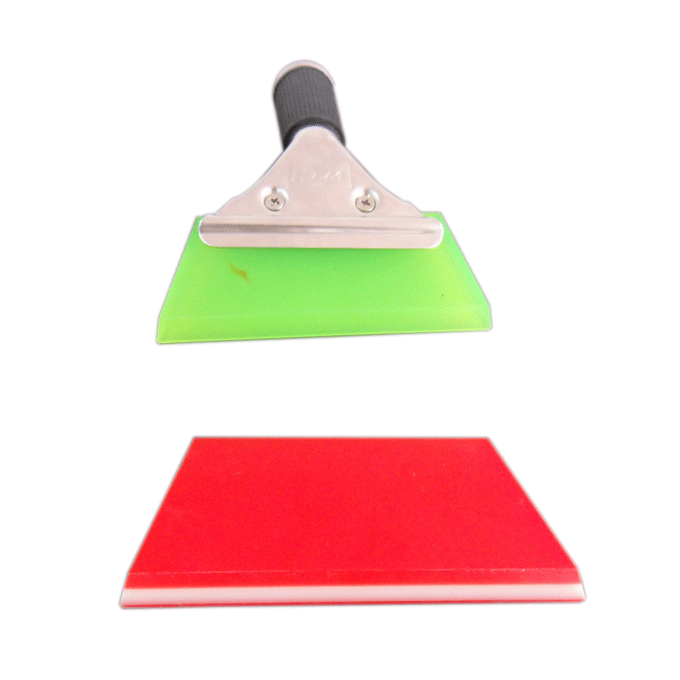
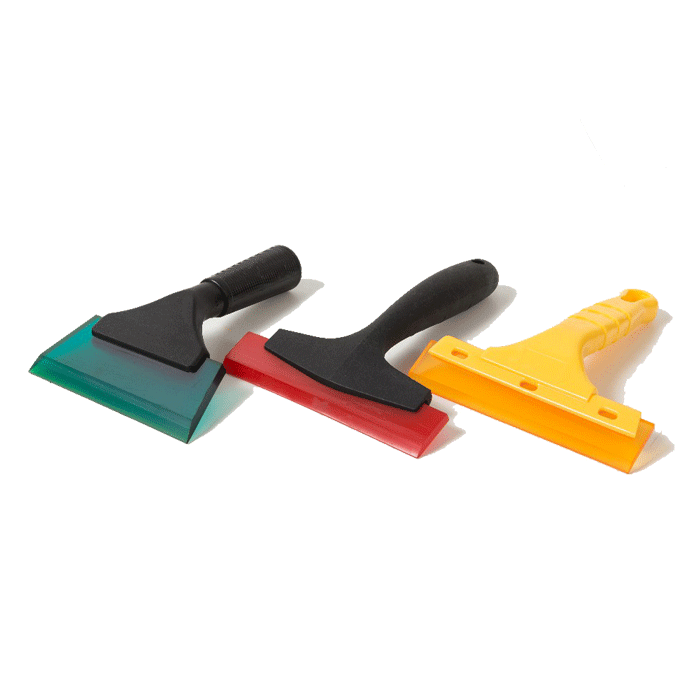
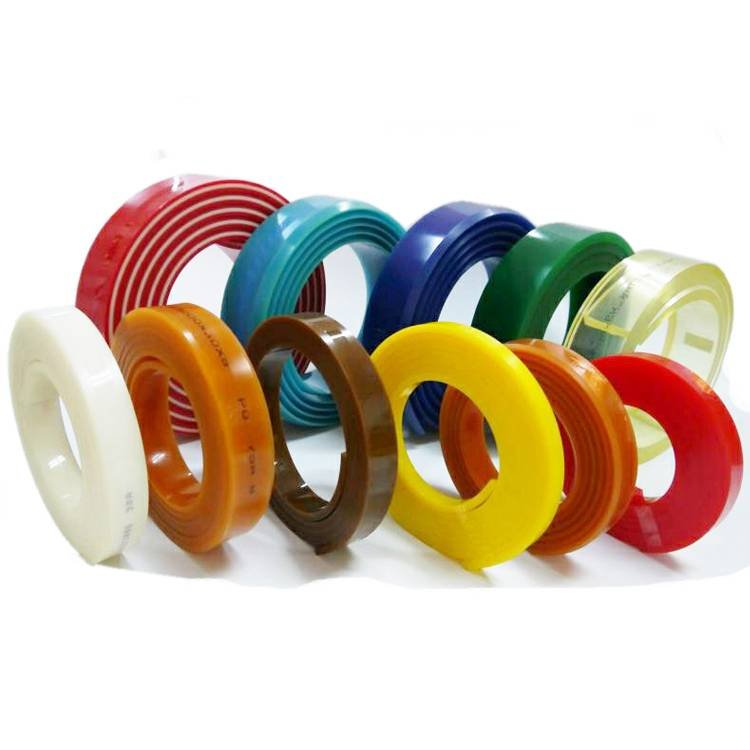
Choose a high-quality polyurethane squeegee with suitable chemical resistance and abrasion resistance for your application.
7. Screen Mesh Damage
Problem:
The screen mesh becomes damaged or wears out faster than expected.
Possible Squeegee Causes:
- Squeegee is too hard
- Excessive pressure is applied
- Edge is too sharp or damaged
Solution:
Balance printing accuracy with screen protection.
For delicate meshes or longer screen life requirements, select an appropriate hardness level and avoid excessive pressure.
8. Inconsistent Printing Results During Long Production Runs
Problem:
Print quality changes gradually during continuous production.
For example:
- Color density changes
- Print edges become unclear
- Ink coverage becomes unstable
Possible Squeegee Causes:
- Poor wear resistance
- Hardness changes after repeated use
- Uneven blade wear
Solution:
Use premium PU squeegees designed for industrial production.
High-quality polyurethane provides:
- Stable hardness
- Excellent elasticity
- Long service life
- Consistent printing performance
Screen Printing Problems and Squeegee Solutions
| Printing Problem | Possible Squeegee Cause | Recommended Solution |
| Uneven ink coverage | Wrong hardness, uneven pressure | Select proper hardness and maintain correct pressure |
| Blurred details | Squeegee too soft | Use harder squeegee with sharper edge |
| Too much ink | Squeegee too soft or rounded edge | Choose harder blade |
| Poor ink coverage | Squeegee too hard | Use softer blade |
| Streaks on print | Damaged or worn edge | Replace or maintain squeegee |
| Fast wear | Wrong material or hardness | Choose durable PU squeegee |
| Screen damage | Excessive hardness or pressure | Optimize hardness and printing parameters |
| Inconsistent quality | Poor wear resistance | Use high-performance polyurethane |
How to Prevent Screen Printing Problems
Choosing the correct screen printing squeegee is the first step toward stable production. In addition, proper maintenance and operation are essential.
Follow these practices:
- Select the right Shore hardness for your application
- Match the squeegee profile with printing requirements
- Use appropriate printing pressure
- Clean the squeegee immediately after use
- Store squeegees properly to prevent deformation
- Replace damaged or worn blades promptly
- Regularly check print quality during production
How PENGDE PU Squeegees Improve Printing Performance
PENGDE specializes in manufacturing high-quality polyurethane screen printing squeegees for demanding industrial applications.
With excellent abrasion resistance, stable hardness, and precise edge processing, PENGDE PU squeegees help customers achieve consistent printing results in:
- Textile printing
- Ceramic printing
- Glass printing
- Electronics and PCB printing
- Automotive film printing
- Packaging printing
By selecting the right squeegee specification, manufacturers can reduce printing defects, improve production efficiency, and achieve better overall print quality.
Conclusion
Many screen printing defects are not caused by ink or equipment problems but by using the wrong squeegee. Hardness, edge profile, material quality, and application requirements all influence printing performance.
Choosing the correct PU screen printing squeegee helps ensure accurate ink transfer, cleaner prints, longer service life, and more stable production.
For professional printing applications, working with an experienced polyurethane squeegee manufacturer like PENGDE can help you select the right solution for your specific process.
For further questions, please contact pengde2@pengde-pu.com.

